
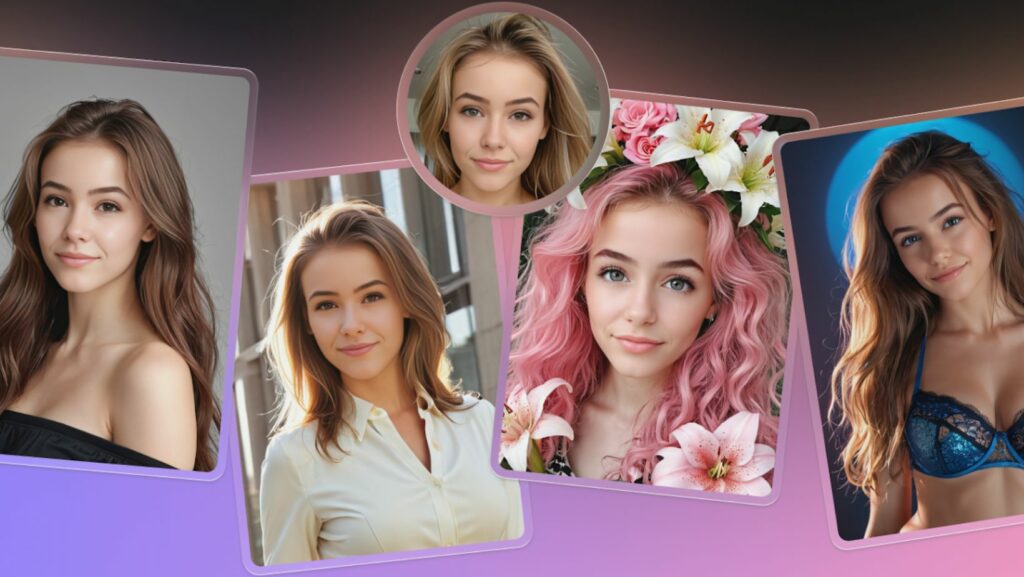
Face swapping used to be a mobile app gimmick for frightening family members. Now, it serves as a legitimate utility for designers and content creators. That shift from low-resolution novelty to high-fidelity compositing brings new questions about utility and ethics.
Professionals face a specific challenge: swapping a face while preserving lighting, skin texture, and angles. Miss the mark, and you create a jarring “uncanny valley” effect. Icons8 entered this space with a browser-based tool built for high-resolution output up to 1024px, stepping away from mobile-first competitors.
The Mechanics of Generative Swapping
Early compositing tools acted like digital scissors. You cut, you pasted. The Face Swapper by Icons8 takes a generative approach. It doesn’t just overlay a source face onto a target body. Instead, the AI analyzes facial landmarks on both images. It then generates a fresh face that exists “in between” the two.
That distinction matters. The resulting image keeps the structural identity of the source face but adapts to the lighting, skin tone, and expression of the target body. This method solves the most common failure point in manual compositing: mismatched perspective.
Scenario 1: Localizing Marketing Assets
Marketing often hits a wall with localization. You find a photo with perfect composition and lighting for a Southeast Asia campaign, but the models look Scandinavian.
Start with the high-quality stock photo that fits the campaign’s mood. Select a source face. You can upload a custom model you have rights to, or pick an AI-generated face to avoid biometric data issues entirely.
Upload the base image. Pick the specific face to replace. Multiswap support handles group shots easily, changing multiple identities in a single frame. Once applied, the AI re-renders facial features to match the original head pose.
Output resolutions hit 1024×1024 for the face area while the rest of the image retains source quality. That sharpness works for web banners and social ads. If the original image looks grainy, run the result through the integrated Smart Upscaler. The new face will blend seamlessly with the background texture.
Scenario 2: Privacy and Identity Protection
Journalists and researchers often struggle to balance visual evidence with safety. Pixelating a face turns a human subject into a grid of colored blocks. It dehumanizes them.
A smarter approach uses faceswap ai to mask identity while preserving humanity. Say a researcher has a photo of a whistleblower. They need to make the person unrecognizable to facial recognition software but keep the photo’s emotional weight.
Upload the sensitive photo. Swap the face with a synthetic, AI-generated person. You get a photo of a human who looks real but does not exist. Gaze and expression stay true to the original moment. Biometric identity vanishes. This technique lets you publish impactful imagery “in the clear” without compromising safety.
A Day in the Life: The Content Manager
Meet Jules, a content manager for a mid-sized lifestyle brand. Tuesday morning brings a legal headache. A blog post from three years ago features an ex-employee who left on bad terms. They requested their removal.
Retaking the shot isn’t an option. The office layout changed. Jules opens the archive. It’s a good group shot. Cropping the person out ruins the composition. Jules uploads the image to the swapper instead.
Jules browses the built-in Moose gallery for a replacement face. The lighting needs to match-flat office fluorescents. A face with a similar head tilt works best. Processing takes seconds. The first result looks natural, but the skin tone clashes. Jules tries again with a warmer source face. Click. Done.
Later, the company Twitter needs a meme. The concept: put the CEO’s face on a trending movie screenshot. The CEO sent a bright studio headshot. The movie still is dark and moody. Jules uploads both. The AI forces the studio lighting to match the cinematic shadows. Jules downloads the result, confident the resolution won’t look like a sloppy mobile edit.
Comparison with Alternatives
Face manipulation tools usually fall into two camps: professional manual tools or casual apps.
Manual Compositing (Photoshop)
Traditional workflows offer total control. You can dodge and burn every shadow. But it eats time. Convincing swaps require matching grain, color grading, and perspective warping. Photoshop wins for a single high-stakes billboard. For daily content or batch processing, it fails on efficiency.
Mobile Apps (Reface, FaceApp)
These prioritize speed and entertainment. Expect heavy filters, reduced resolution, or watermarks. They work for a quick laugh in a group chat. They fail the quality test for commercial use.
Icons8 Face Swapper
Here is the middle ground. You get the resolution and “clean” output required for professional work without the Photoshop learning curve. Original file size stays intact. Web design and digital marketing workflows finally have a viable option where fidelity matters.
Limitations and When to Avoid
Generative tech has boundaries.
Obstructions confuse the tool. If the subject in the target photo has a hand over their face, hair across their eyes, or wears a mask, the AI often paints the new face over these elements. The result is a jarring, impossible image.

Extreme angles also cause issues. Documentation states it handles side portraits, but a full 90-degree profile often results in a smeared ear or misaligned jaw. Stick to front-facing or 45-degree angles for the “sweet spot.”
File size acts as a practical constraint. The 5MB limit means photographers working with raw exports or high-res TIF files must downsize images before uploading. Print designers need to account for this extra step.
Practical Tips for Perfect Results
Match the Head Shape
AI adapts features, not skull geometry. Source faces should share a similar jawline width to the target. Putting a wide face onto a narrow head leads to odd distortion.
The Self-Swap Skin Hack
Try uploading the same photo as both the source and the target. The AI maps the face onto itself. In doing so, it regenerates skin texture. This acts as a “beautifier,” removing blemishes and smoothing uneven tones without looking like a blur filter.
Watch the Hairline
The transition point between forehead and hair is where most swaps die. Bangs or complex hairlines often look pasted on. Choose target photos with clear foreheads for seamless results.
Check the History
The interface keeps a history log. You can re-download images without re-processing. This helps when batch processing several options to compare side-by-side later. For privacy, images delete automatically after two months, or you can wipe them manually right away.