
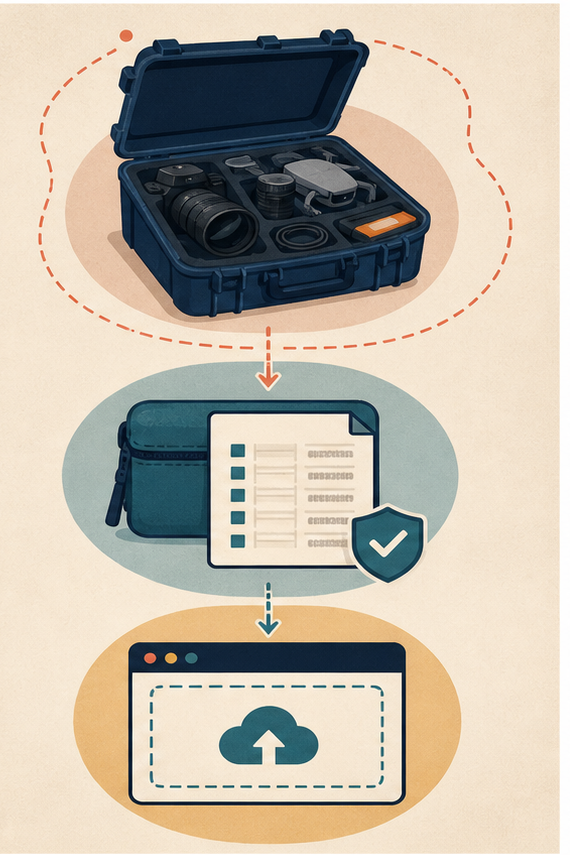
A project folder contains more than the frames an editor means to animate. It may include client names, hidden alternates, location metadata, internal comments, unused faces, licensed music, unfinished logos, or an old export with confidential text. Selecting the folder’s most convenient image does not clear the rest of that context.
Browser video generation should receive a purpose-built reference bundle. The asset-clearance envelope defines which files, pixels, metadata, identities, and rights enter the workflow. Its manifest keeps the upload traceable before generation.
Map Exposure across the Entire Source Project
Inventory images, video frames, audio, fonts, logos, documents, metadata, filenames, comments, and linked assets. Classify each as required, removable, replaceable, or blocked. The question is not whether the final frame looks harmless; it is whether the uploaded bytes are appropriate for this purpose.
Include temporary exports and auto-saved previews. A thumbnail can preserve an older confidential frame after the visible master is cleaned. Treat sidecar files and cloud-synced copies as part of the project surface.
Assign an owner to every required asset. If no one can confirm origin, consent, or intended use, block it rather than letting urgency become clearance. Record the reason so a later reviewer can resolve the gap.
Check Identity Confidentiality and Context Together
Look for recognizable people, badges, addresses, screens, reflections, medical or financial details, customer records, prototypes, and geolocation. Combinations matter: a uniform, room, and date may identify a person even when each detail seems ordinary alone.
Inspect frame edges and reflections at full resolution. Whiteboards, browser tabs, notifications, vehicle plates, and window views often sit outside the intended subject. Crop or replace them before the bundle is created.
Review prompt context separately from pixels. A neutral image paired with a client name, unreleased product code, or incident detail in text can expose the same project. Use task-specific neutral identifiers.
Remove content that is not needed for the motion task. When the source carries high-risk information, use a synthetic replacement or a controlled workflow approved for that data rather than weakening the envelope.
Separate Rights Clearance from Visual Relevance
A useful reference may still lack permission for transformation or distribution. Record source, creator, license or consent, territory, duration, modification scope, attribution, and client approval as applicable. Do not infer rights from file possession.
Distinguish permission to use a work from permission to depict a person, property, trademark, or confidential design inside it. Several rights can coexist in one frame. The manifest should not collapse them into one “cleared” checkbox.
Record output purpose at clearance time. Internal previsualization, paid advertising, editorial illustration, and client delivery may require different permissions. A bundle approved for one route should not silently migrate to another.
Keep music out of an image-reference bundle. A muted visual task does not need an audio file traveling with it. Fonts, logos, and stock elements also need their own status even when they appear only in a flattened frame.
|
Envelope item |
Clearance question |
Bundle action |
|
Visible pixels |
Needed and permitted? |
Crop, replace, or retain |
|
Metadata |
Does it reveal private context? |
Strip unless required |
|
Identity |
Consent covers this use? |
Document or remove |
|
Rights |
Transformation and delivery allowed? |
Record or block |
Build the Cleared Bundle on the Device
Create a new directory for the task, not a subfolder inside the raw project. Copy only approved source frames. Use neutral filenames, flatten unnecessary layers, strip nonessential metadata, and include a manifest that identifies each file without exposing confidential names.
Use fresh raster exports when editable source formats carry hidden content. Preserve transparency only when the task needs it, and inspect transparent pixels for material outside the visible crop. Do not upload a layered design file merely because the browser accepts it.
Keep a visual contact sheet of the bundle. The sheet lets a reviewer compare what was intended for upload with the hash manifest without opening the raw project. It must not include blocked assets.
Reopen Every Export in a Separate Viewer
Inspect edges, transparency, thumbnails, and embedded profiles. Confirm that off-canvas objects, alternate layers, comments, and undo history are absent. Recalculate clearance after any crop, resize, encoding, or metadata change.
Reopen files in another viewer and, for sensitive work, another controlled account. This reduces reliance on an application that may hide metadata or reuse cached previews. Document the viewer and date in the manifest.
Confirm the bundle contains no shortcuts, cloud aliases, or archives that point back to the raw project. Copying a reference should produce a self-contained approved file, not a path to wider storage.
Generate a hash for every cleared file and the final bundle manifest. The hash proves which bytes were inspected. A renamed look-alike or revised source requires a new review.
Write One Purpose-Limited Motion Brief
Describe the change requested and the details that should remain stable. Avoid repeating private data in the prompt. The brief should not ask the system to infer logos, faces, locations, or functionality removed during clearance.
Name observable movement, camera behavior, and protected geometry. Keep the brief short enough that another reviewer can compare it directly with the candidate. A broad creative request may invite details outside the cleared envelope.
Store the brief with the bundle hash before upload. If the prompt changes to require a new object, person, or context, pause and revise the envelope rather than extending scope inside the browser.
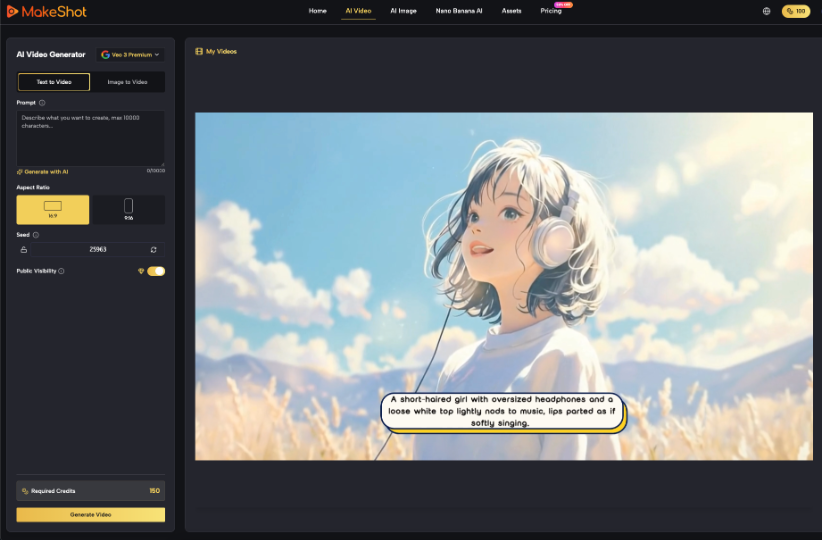
MakeShot.ai can accept text or a reference image for a video candidate. Upload the cleared bundle or selected cleared frame to the AI Video Generator, never the raw working directory. The envelope decides what is in scope before the browser receives it.
Inspect Candidates and Every Downloaded Derivative
Compare the candidate with the cleared reference, not the sensitive original. Check for invented text, identities, marks, or locations where details were intentionally removed. A fabricated detail may not expose the source, but it can still create a false claim.
Inspect every frame for reappearing patterns near cleared regions. Generative motion can turn blank space into plausible signage, faces, documents, or interfaces. Those inventions require content review even when no original secret returns.
Check the soundtrack when a selected route creates or attaches audio. Speech, alarms, jingles, and environmental cues can add a place or event claim not present in the reference. Remove or review audio separately.
Review Pixels Metadata and File Names Again
Download the exact delivery file and inspect it at full size in a separate viewer. Check metadata, thumbnail, profile, filename, and alternate versions created by the workflow. Do not approve from a small browser preview.
Extract frames at opening, midpoint, high-motion moments, and settlement. Review them as still assets because thumbnails or social previews may expose one frame without the surrounding disclosure.
Record the downloaded file hash. If an export is transcoded, cropped, subtitled, or compressed later, treat it as a new derivative and rerun the applicable identity, rights, and metadata checks.
Run identity and rights review on the output as a new asset. Transformation can introduce a recognizable resemblance or protected mark that was not present in the reference. Clearance of input does not automatically clear output.
Keep Every Candidate Approval Specific to Purpose
An asset cleared for internal concept review is not automatically cleared for advertising, recruitment, editorial evidence, or public distribution. Record the approved purpose, channel, territory, and expiration where relevant.
Keep verdicts granular: content accurate, identity acceptable, rights documented, disclosure present, and delivery checked. A general “approved” label hides which condition must be revisited when the asset changes channel.
A second AI Video Generator pass begins from the same cleared source unless the envelope is formally revised. Do not add a convenient raw file halfway through iteration.
Close the Bundle with Retention and Withdrawal Records
Package the manifest, hashes, clearance evidence, MakeShot.ai prompt and candidates, review verdict, and final distribution record. Define retention separately for raw source, cleared bundle, rejected downloads, and approved output.
Record who can access each set and when it should be deleted or reviewed. The cleared bundle may be less sensitive than the raw project but still contain licensed or personal material. Minimize retention rather than treating sanitization as permanent permission.
MakeShot.ai belongs inside the candidate history, not the clearance decision. A disciplined envelope reduces unnecessary exposure and lets another reviewer prove exactly which reference files entered the workflow and why.